How Do I Wrap Text (or Add TextEllipsis) In The ComboBox?
I’ve been spending the past several days fighting with the ComboBox in an attempt to make it so something very simple: Wrap text inside the combo box. I’ve finally figured it out, so I thought I’d share.
OK, first of all, make sure that your ComboBox is hooked up to something, even if that something is some random RSS feed. I have a post that can help you with that over here. Bind your comboBox to the “Items” part of the New York Times RSS feed.
You need to do this because, if you do not, you will have to set the same data template to every single ComboBoxItem that you add to the ComboBox. And that’s just no fun.
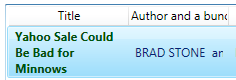
Starting out, your ComboBox should look something like this:

Right click on your ComboBox and select “Edit Other Templates -> Edit Generated Items (ItemTemplate)-> Create Empty…” Give your new data template a name and Blend will take you into the Data Template design.
Read More »How Do I Wrap Text (or Add TextEllipsis) In The ComboBox?