WPF multipoint and the Wii
I’ll get back to my listview posts soon, but I really wanted to share this: Here’s something from the guys at Cynergy in which they’ve combined WPF with a Wii-mote… Read More »WPF multipoint and the Wii
I’ll get back to my listview posts soon, but I really wanted to share this: Here’s something from the guys at Cynergy in which they’ve combined WPF with a Wii-mote… Read More »WPF multipoint and the Wii
UPDATE: The makers of Snoop have made an installer that makes this post obsolete. Go get it… it’s well updated and worth it. Download the super-simple Snoop files. (Just extract… Read More »Designers Guide to Debugging WPF Applications with Snoop
Over at nostatic.com, there is an example of <a href=”http://notstatic.com/archives/118″>using MarkupExtension</a> that that we can access some custom code functionality directly from the XAML. In his example, the following XAML… Read More »MarkupExtension
How do I make it so that, instead of cutting off the text in my column when I shorten it, my text displays ellipsis?
and
How do I make it so that my text wraps when I shorten my columns?
I’ll deal with the first one first and the second one… second.
That sounded better in my head than it looks on the screen.
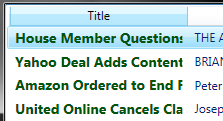
With the first question… when a column is shortened, this is what normally happens:
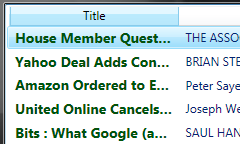
And, instead, we want this to happen:
So you’ve got a listview and you want the columns (not the rows) to look a certain way. (If you are in any way confused, head over here.)
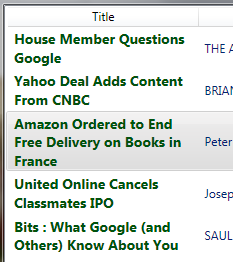
In this post, we’re going to build a template for a column and style that template so the data in that column is all styled the same way, but different from the data in the rest of the list view. Kind of like this:
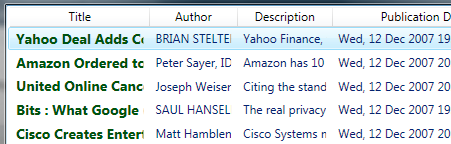
If you’re following from the RSS Feed post: go to the listview in the main composition and right click on your listivew and go to “Edit Other Templates -> Edit Generated Item (ItemTemplate) -> Edit a Copy…”
Not following from the RSS Feed post: go to the listview in your composition, right click on your listview and co to “Edit Other Templates -> Edit Generated Item (ItemTempalte) -> Create Empty…”

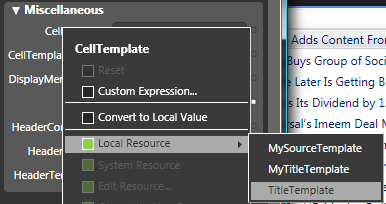
Name it whatever you like (I named mine “TitleTemplate”) and hit OK.
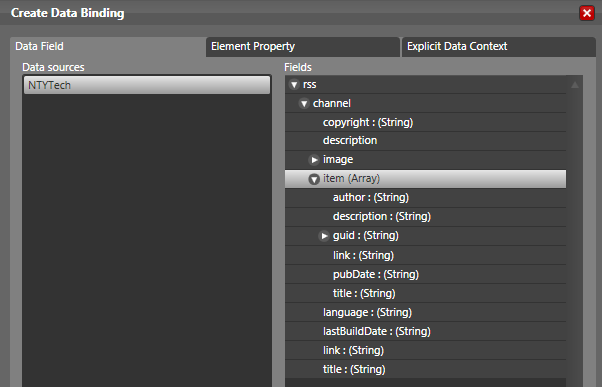
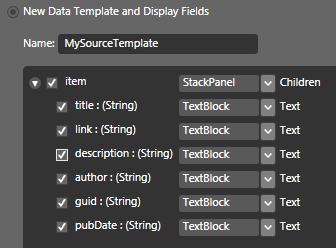
When I’m doing the initial design for a project (while the developers are working on silly things like data validation and security), I often find myself in need of data so that I can see my project in action. The developers, of course, have no interest in conjuring up test data at that phase in the project, so I started using RSS feeds as data sources for my initial designs.
Not all RSS feeds are equal in the eyes of Blend. I use one of the New York Times RSS feeds, which always work flawlessly.
So we’re looking at the listview/listbox/whatever in our project. Right click on it (in the composition or in the Objects and Timeline pane, it doesn’t matter) and select the “Bind ItemsSource to Data”.
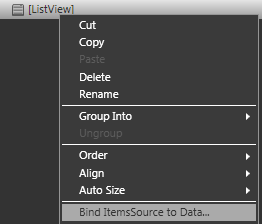
Read More »How do I connect an RSS Feed to my ListView/ListBox/Whatever?
Please feel free to post additional questions in the comments section. I’ll get to them as I can and then link the help here. How do I get grid lines… Read More »ListView FAQ
So you want grid lines in your listview, huh? Something that looks a little like this?
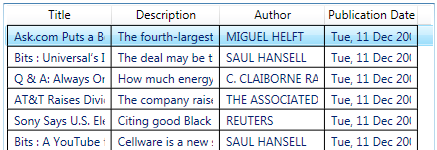
OK, we can do this the easy way and the hard way.
Read More »How Do I Set Up Grid Lines for my ListView?
On a recent project, I spent (I kid you not) over three hours trying to get a stinking popup to close when I clicked somewhere else in the application. Figuring… Read More »Getting the Popup to Close When It Loses Focus